
Sonosub
Use this free software to assist you in building your "sonosub" style subwoofer.
Sonosub saves you having to get out the calculator to work out the sizes for your tubes. It also checks that your components will all fit with the correct clearances.
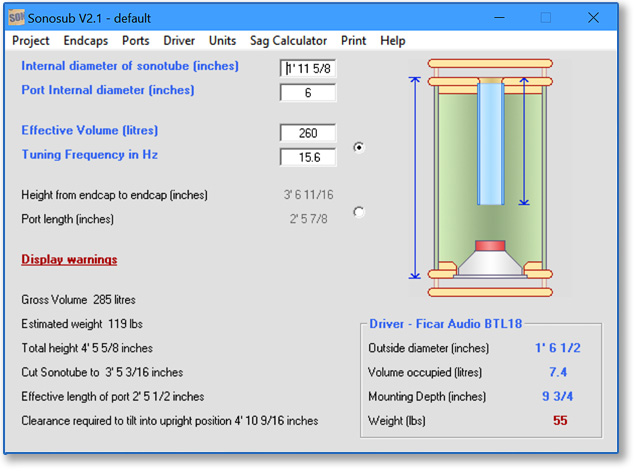
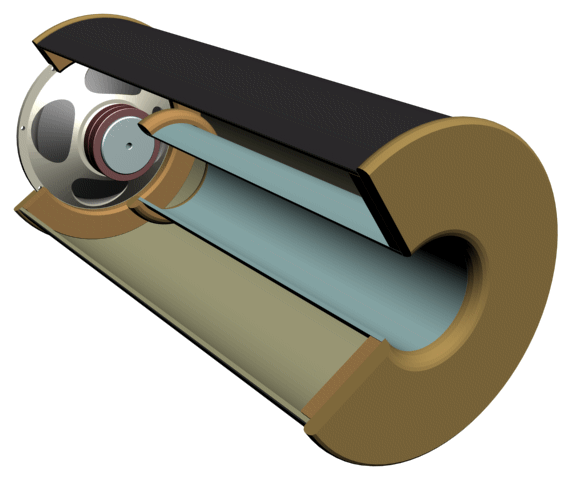
Features of current version - V2.03
- Specify Working volume & Tuning frequency to find Height & Port length or vice versa
- Graphic shows port, cover plate and driver mounting details at a glance
- Checks for sufficient clearances between components
- Select driver from built-in list of common drivers or enter manually
- Missing parameters automatically estimated from list of generic values
- Work in metric or imperial measurements
- Preferences automatically saved
- Project can be saved for future reference
- Most often used variables and results located on front screen
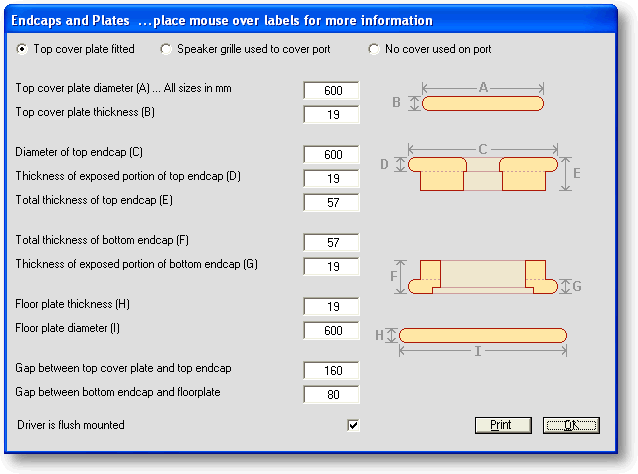
- Endcaps screen allows full specification of timberwork
- Account for change in tuning with port flares
- Sag calculator to check suitability of driver for downfiring use
- Print function on main screens

Sonosub is written in Visual Basic 6 and runs under Windows.
To run this software on an Apple Mac or possibly on Linux, you will need to install the Wine windows compatibility layer
Security information:
Filesize 815,104 bytes
MD5 Hash Code 7B9043773F9BDCFD4CEFCCF05B9D7079
Hash Code Generator to verify software against this value can be downloaded here
If you find the Sonosub software useful, please consider buying me a coffee..
This is a result of adding drivers to the internal database whilst the project files store the driver as a number only. If this is the case, please re-select your driver from the list and re-save your project.
This should be sorted in a release or two, meanwhle it was felt that the advantage of having current drivers listed outweighed any inconvenience.
Additional screenshots
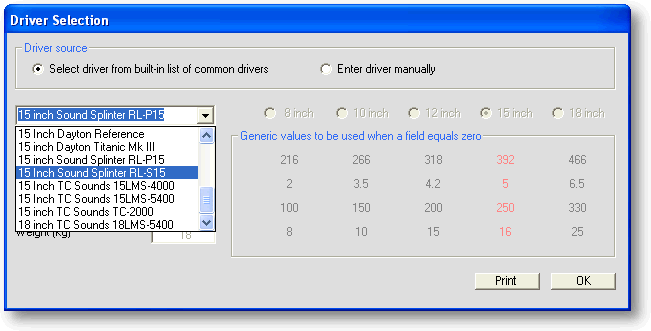
The built-in database has some common drivers listed.
If you wish to enter a driver manually, you will need to supply up to four parameters.
If you don't know one of the values, just enter zero for it's value.The software will use the generic value based on the nominal diameter
you select for the driver. (shown here in red).
When you return to the front screen, the known values will be shown in blue
and any substitutions will be shown in red.
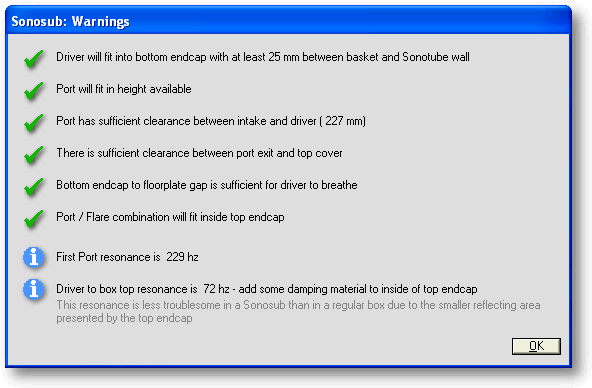
Several of the checks need some explanation...
Clearance between port intake and driver should equal to or larger than the port diameter
Clearance between port exit and top cover (when fitted) should equal to or larger than the port diameter.
The gap between the driver and the bottom plate should be such that the air leaving the driver doesn't encounter
a cross-sectional area that is any smaller than the cone area.
This check is simplified somewhat by basing it on the nominal diameter of the driver.
A Resonances Experiment was conducted to determine what type of resonance occurs
between the driver and end wall
FAQ
Q1. How much clearance is required between the bottom endcap and the floor plate?
The quick answer...
gap = nominal diameter / 4 for most drivers or
gap = nominal diameter / 3 for high excursion drivers
Consider this drawing....
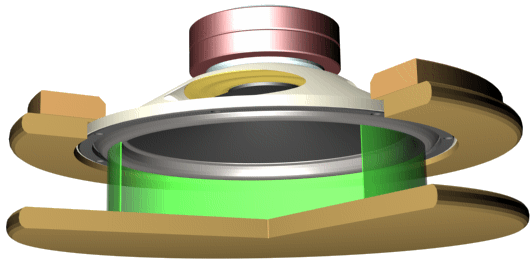
The principle applied....
Air movement generated by the driver shouldn't encounter any reduction in the CSA through which it has to flow. (green area in graphic)
The maths....
The smallest area is represented by the green cylinder, and has a total area of:
gap * circumference = gap * pi * (nominal diameter)
This must equal the Sd of the driver, or in our example, pi * (nominal dia / 2)^2
So ...
gap * pi * (nominal diameter) = pi * (nominal dia / 2)^2
dividing both sides by pi...
gap * (nominal diameter) = (nominal diameter^2) / 4
dividing both sides by nominal diameter...
gap = (nominal diameter) / 4
More accuracy could be obtained by calculating effective diameter from Sd, and factoring in the height of the surround vs
driver rebate depth, but this method is going to be fairly close.
If you have a driver with a large Xmax, you would build a bit of leeway in by dividing by 3 instead of 4
Sonosub.exe v2.00 divides by 5, meaning it's check is not rigorous enough
From Version 2.01 onwards, this was changed to 4.
This would give you.....(all sizes in inches)
| Driver nominal diameter | Clearance for normal driver | Clearance for high-excursion driver |
| 10 | 2.5 | 3.4 |
| 12 | 3.0 | 4.0 |
| 15 | 3.8 | 5.0 |
| 18 | 4.5 | 6.0 |
| 21 | 5.3 | 7.0 |
Q2. How much clearance is required for the port?
The distance between the port intake and the back of the driver must be no smaller than the internal diameter of the
unflared portion of the port.
The same clearance is required between the top endcap and top cover plate (when used).
Sonosub.exe issues a warning if either of these clearances is too small
Q3. Do I need flared ports?
Yes you do. Flared ports allow a higher airspeed before audible turbulence occurs.
See the section on port flares for help with calculating flare requirements
Most sono builders use a roundover bit in the router to flare the port exit in the top endcap.
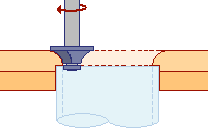
Making a flare for the port intake is described in the donut ring walk-through
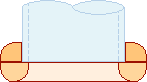
Q4. How much of a problem are the resonances?
In a normal box, a driver-to-rear-wall resonance that occurs in the working frequency range, can be troublesome, adding a peak of up to 6dB.
Frequency peaks in a sonosub are not as strong because the reflecting surface of the top endcap is fairly small.
Adding some closed-cell foam damping material to the endcaps is good practice. See the Damping Treatments page
for some more information about damping.
The port resonance can't be lessened with damping materials, but it's frequency is nearly always at the top
end of the operating range of the sub. Problems here can usually be addressed by lowering the crossover frequency.
Q5. When does re-calculation take place?
When entering data in metric mode, validation and recalculation occurs as you type.
When entering imperial data, you need to indicate when you have completed the field.
As you type, the foreground color of the field changes to red, indicating that
the data has not yet been validated.
Pressing "enter" or clicking on another field validates the data. If the format is correct, the foreground color is changed back to black and the results are calculated,
otherwiswe an error message is presented.
Q6. What files does sonosub.exe create?
Sonosub.exe will attempt to create an ini file in the same folder as the program is located. The ini file will remember your preferences. You can store your actual projects in any folder.
Q7. Can I add new drivers to the database?
The current release doesn't support adding user defined drivers to the database.
It does however remember the current driver details. For example, if you choose one of the generic drivers, and change some of the default values,
sonosub will remember the settings.
Q8. How can I divide a sono to make a bandpass enclosure?
It depends if you are going to put partitions across the sono, or lengthwise.
Going across turns it into a series of cylinders stacked on top of each other
You can find the volume of each one using sonosub.exe.
Set the number of ports to zero and choose a user defined driver. Set the driver volume to 0.01 litres
(if you set it to zero, the program will substitute a volume based on the nominal diameter).
Enter the length of the segment as the sono height and read off your volume......
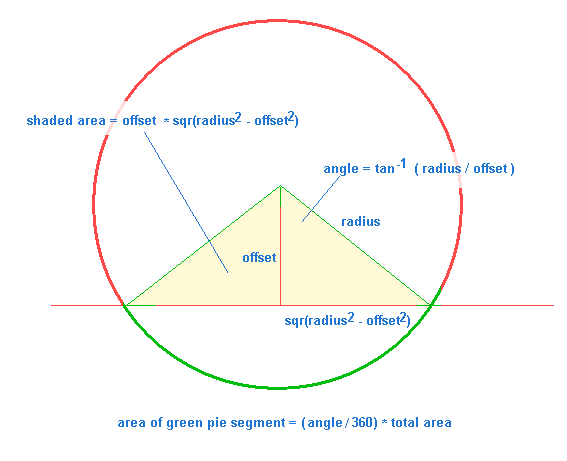
If you are going to divide up using a lengthwise partition, you better brush up on your maths.
This drawing will get you started.....
For a nice example, see lglura's RLP-15 sonosub build thread at hometheatershack.com
Other free software available on this site
Boxnotes - check your enclosure design for resonances. Print your cutting list
Flare-it, - find the correct port flare size to avoid audible turbulence
Subsaver - calculator for finding component values for a 2nd-order high-pass filter
QRDude - calculator for designing advanced QRD diffusers